Creative FX120 Guia do Utilizador Página 78
- Página / 136
- Índice
- RESOLUÇÃO DE PROBLEMAS
- MARCADORES

- VAIO® Notebook 1
- User Guide 1
- Notice to Users 2
- Owner’s Record 3
- Safety Information 3
- Regulatory 5
- Information 5
- Telephone Consumer 6
- Protection Act of 1991 6
- (UnitedStates) 6
- Guidelines (Canada) 6
- DISPOSAL OF LITHIUM ION 7
- INDUSTRY CANADA NOTICE 7
- AVIS DE L’INDUSTRIE 8
- Contents 9
- VAIO Notebook User Guide 10
- Features 11
- Unpacking Your Notebook 12
- Software CDs 13
- Recovery CDs 13
- Ergonomic Considerations 14
- Notes on Setup 15
- Handling Your Notebook 16
- Cleaning Your Notebook 16
- Handling the LCD Screen 16
- 6 Power indicator 20
- 2 Reset switch 24
- 3 Tilt stands 24
- Connecting a Power Source 25
- Battery bay 26
- Battery pack 27
- (supplied) 27
- Label side facing down 27
- Battery indicator lights 28
- ° F (60° C), such as 30
- ° F and 80° F (10° C to 30
- Starting Your Computer 31
- Shutting Down Your Computer 32
- Using Your VAIO® Notebook 33
- Indicators 35
- Indicator (continued) 36
- Only LCD 37
- LCD and external display 37
- Only external display 37
- Using the Touchpad 38
- Using the Floppy Disk Drive 40
- Using the Optical Drive 43
- Inserting an optical disc 44
- Playing a DVD 45
- ✍ For Models with TV Out Only 46
- Notes on CD and DVD media 47
- Using PC Cards 49
- To remove a PC card 50
- Using a Second Battery Pack 52
- Charging the second battery 53
- Information” 53
- Using the Weight Saver 55
- To remove the Weight Saver 56
- Using Smart Connect 57
- Power Saving Modes 58
- Hibernate Mode 59
- To activate Hibernate mode 59
- To return to normal mode 59
- Connecting a Phone Line 60
- (Ethernet 61
- Ethernet 61
- Connecting Peripheral Devices 63
- Port replicator connector 65
- AC19V1 adapter 66
- Power indicator light 66
- / symbols 68
- Connecting a Printer 69
- Computer display 70
- Power cord 70
- Display cable (optional) 70
- Use the 72
- Connecting a TV Display 73
- (For Models with TV Out Only) 73
- USB device 75
- USB connecting cable 75
- (optional) 75
- Connecting an i.LINK 76
- ® Device 76
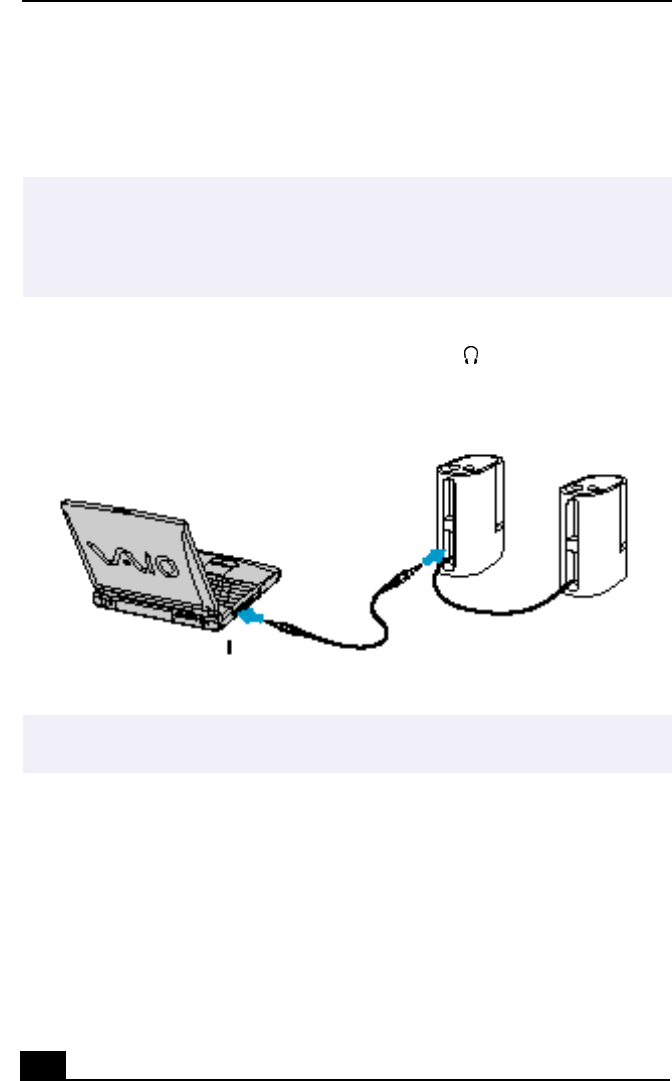
- Connecting External Speakers 78
- Microphone 79
- Customizing Your VAIO® 81
- Notebook 81
- Sony Notebook Setup Tabs 82
- Controlling Power Management 83
- Power Management Profiles 84
- Power Management Commands 86
- Conserving Battery Power 86
- Battery Icon Descriptions 87
- Battery Information Window 88
- Selecting the Display Mode 89
- Adding Memory 93
- For Models with 64 MB Memory 94
- For Models with 128 MB Memory 94
- Installing memory module 96
- About the Software on Your 97
- MovieShaker™ 101
- Create a Movie using Shaker 103
- Editing Clips and Scenes 104
- Saving a Movie 104
- PictureGear™ 105
- Using Panorama Maker 106
- Software Support Information 107
- Sony Service Center 109
- Using Your Recovery CDs 110
- Troubleshooting 115
- Troubleshooting software 122
- Troubleshooting the modem 123
- Troubleshooting audio 124
- Troubleshooting the printer 125
- Specifications 127
Manuais e produtos relacionados com Computadores portáteis Creative FX120
 (2 páginas)
© 2020, manymanuals-pt.com. Todos os direitos reservados. | 0.025 s |
 Manymanuals.com
 Manymanuals.de
 Manymanuals.fr
 Manymanuals.it
 Manymanuals.pl
 Manymanuals.cz
 Manymanuals.es
 Manymanuals-pt.com
Comentários a estes Manuais